

Boost packs
Hitreg, ping and WASD – one click applies the matching tweaks, each one stays visible on its own.
 NOVATweaks
Windows tweaker for FiveM
NOVA sets up Windows, your network and FiveM so your frame times stay steady and your inputs arrive without detours – transparent, measurable and reversible with one click.
Principle
No miracle cures. NOVA only changes what measurably helps on your PC – every setting visible on its own and undone with one click.
Built for FiveM. Honest about what works.
The app
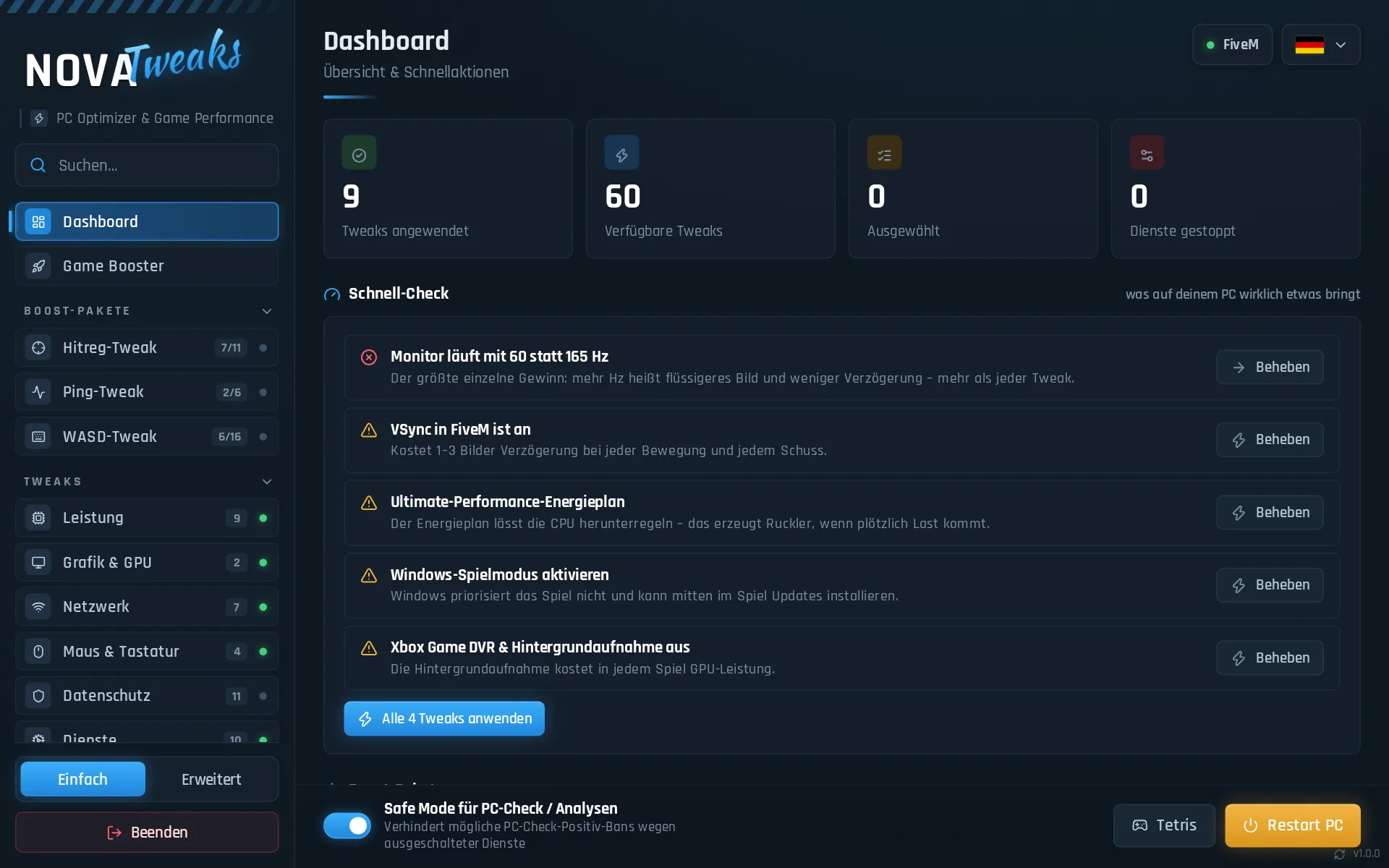
A dashboard that shows what is really slowing your PC down – with the button that fixes it right next to it. Every tweak backs up the old value.
Features
Hitreg, ping and WASD – one click applies the matching tweaks, each one stays visible on its own.
Shows only what really helps on your PC – often a monitor on the wrong refresh rate or FiveM stuck at 60 Hz in fullscreen.
Average FPS, 1 % and 0.1 % lows and stutters, measured right in FiveM – before and after.
Packet loss, jitter and spikes on the way to your FiveM server, also under load – a clear cause instead of guesswork.
The last direction you pressed counts instantly – only while FiveM is in the foreground.
FPS, 1 % low, server ping, packet loss, CPU and RAM in game – its own window, nothing injected into FiveM.
Low latency, full performance and a large shader cache for FiveM – set right in the driver.
Reads the FiveM logs and names cause and fix. After a crash, NOVA can reconnect you to your server.
Your favourite servers with the real ping to the game server – connect with one click.
Stretched, custom resolutions and GPU scaling – with 15 seconds to confirm.
Your own crosshair as a window above the game, without touching FiveM.
Everything NOVA changed goes back with one click. Updates install themselves.
Measure
Stutters are single frames that take too long. This is what that looks like – and what it looks like once the causes on the PC are gone.
Pricing
One key, all features, one PC. The term only starts when you activate the key in the app.
Card · Crypto · Paysafecard — your key appears on your order page and in your account right after payment.
FAQ
Right after payment, on your order page. With Discord login you can find it any time under My account.
Under My account after the Discord login, on the download page with your key, on your order page or in Discord with /download.
NOVA changes Windows settings and writes nothing into FiveM or the anti-cheat. Snap Tap and the crosshair are optional and off by default – some servers forbid input aids or custom crosshairs, so check the server rules if in doubt.
NOVA is not signed with a publisher certificate, so SmartScreen shows “Unknown publisher” for new versions – click “More info → Run anyway” to continue. Because NOVA changes system settings and processes keys for Snap Tap, Defender may occasionally flag a new version by mistake. Only download NOVA from this site or our Discord – the app checks the signature of every update before installing it. If Defender reports something, let us know in Discord support.
No software lowers your base ping or turns 60 FPS into 200. NOVA removes delays and stutters on your PC, and the quick check shows what helps most on yours – often a monitor on the wrong refresh rate or VSync. With the FPS benchmark you see for yourself what changed, before and after.
One. You move it to another PC yourself in the app, at most once every 7 days – otherwise support helps.
The card is redeemed automatically, usually within a few minutes. If that fails, support checks it by hand. Several cards add up.
Yes. Every tweak can be turned off on its own, and “Restore All” resets everything NOVA changed – exactly to how it was before.
No. NOVA is digital content that is unlocked immediately. With your consent at checkout, your right of withdrawal expires – all sales are final. If something does not work, support on Discord helps.
Ready when FiveM is.